ADMINS: Onboarding Form Instructions
The New Organization OnBoarding Intake form will accomplish the following 2 tasks for incoming accediting orgs: a) Setup and validate your main Admin account; b) Setup the basic parameters for your Organization's settings in the CEU Locker platform.
ALL parameters can be changed in your Admin panel after the initial intake.
Here are the input requirements for the OnBoarding forms, so you can prepare ahead of time for this task.

Please Note:
The invitation email link you received has an expiration date. If you cannot complete the form in one attempt, you'll be able to return to the form until the expiration date, and your data will be saved.
Prepare Input for the following 5 forms:

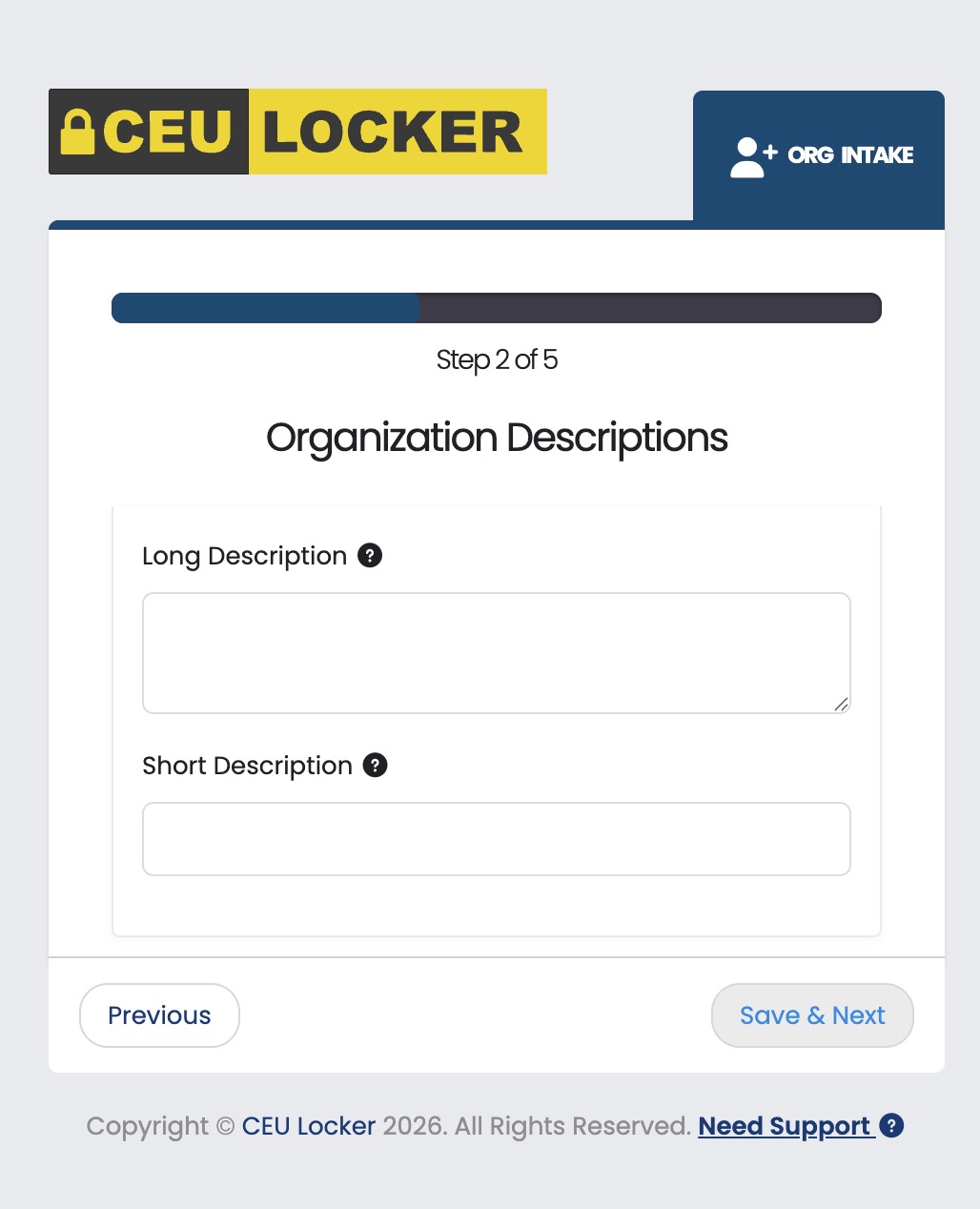
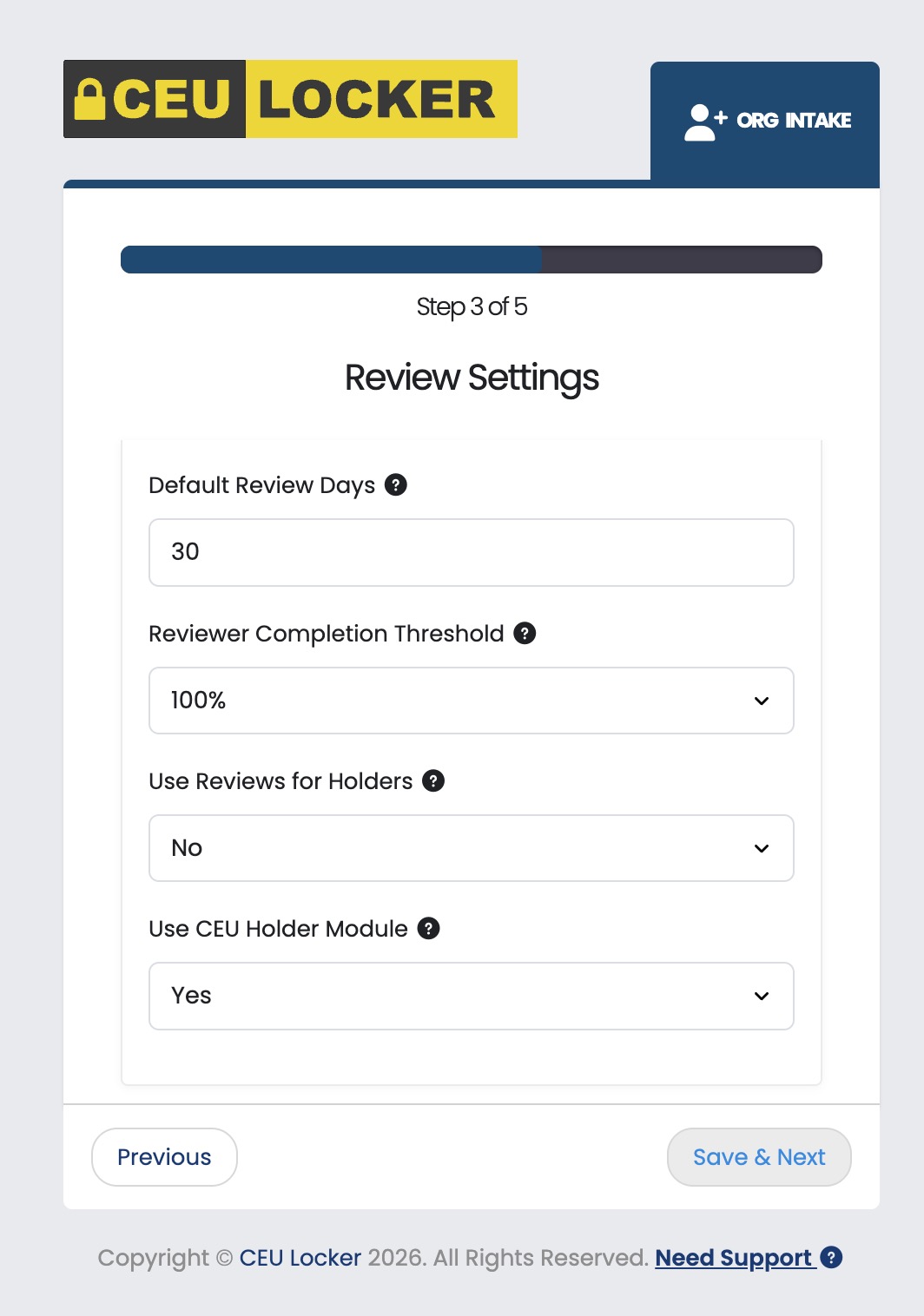


Explanation of each required field (ALL fields are required):
- STEP 1:
- Organization Abbreviation: This 1-8 letter abbreviation will be used in may locations around the platform and in communication areas where your full Organization Name can not be displayed.
- Name on Approval Seal: This 1-8 letter abbreviation will be used on the official Approval Seal that you select for your organization. Maximum of 6 characters will fit. Here is an example approval seal
- Organization Domain URL: must start with https://
- STEP 2:
- Long Description: This is a detailed full description of your organization. Might be your full mission statement or other description for SEO purposes
- Short Description: This a short, <10 word description. Example: OHPA represents Healthcare Administration offices staff in Ohio.
- STEP 3:
- Default Review Days: This setting controls how long your Reviewers have to complete their assigned Review, before the System shows a bold RED notice on their dashboard.
- Reviewer Completion Threshold: This setting controls what percentage of your total assigned Reviewers much complete their review in order for the platform to move the CEUL over form the Pending Review area to the Final Decision area in your admin panel. Example:
- Use Reviews for Holders: This setting controls whether or not the CEU Locker platform will allow your individual CEU Holders to submit individual course credit applications to your organization for one-off reviewing. Most organization do not allow this individual pathway, but instead review/approvae course credit from CEU Providers only. If you do not review individual Holder's courses, they will still be able to self-store all of their continuing education information in their CEU Locker.
- Use CEU Holder Module: This setting currently does not have a function in CEU Locker and could be used for a future purpose.
- STEP 4:
- Contact information here will be available to CEU Providers and Holders when they look up your Organization in the reference guide
- STEP 5:
- Credit Term Name: For many organizations this is the full name of their credit terminology, as example, continuing education units, continuing competency units, contact hours, etc.
- Credit Abbreviation: An abbreviation for your credit term is required for your system, as example, CEU, CCU, CH, etc. If no abbreviation is given, the system will default to CEU.
- Credit Description: This critical area allows users to understand how your organization calculates quantities of continuing education units. As example, "1.0 CEU is equal to a minimum 55 minutes of uninterrupted instruction, not including breaks." The more detailed your description on these calculations, any limitations, or carve outs, will allow your incoming applications to be more accurately outlined.