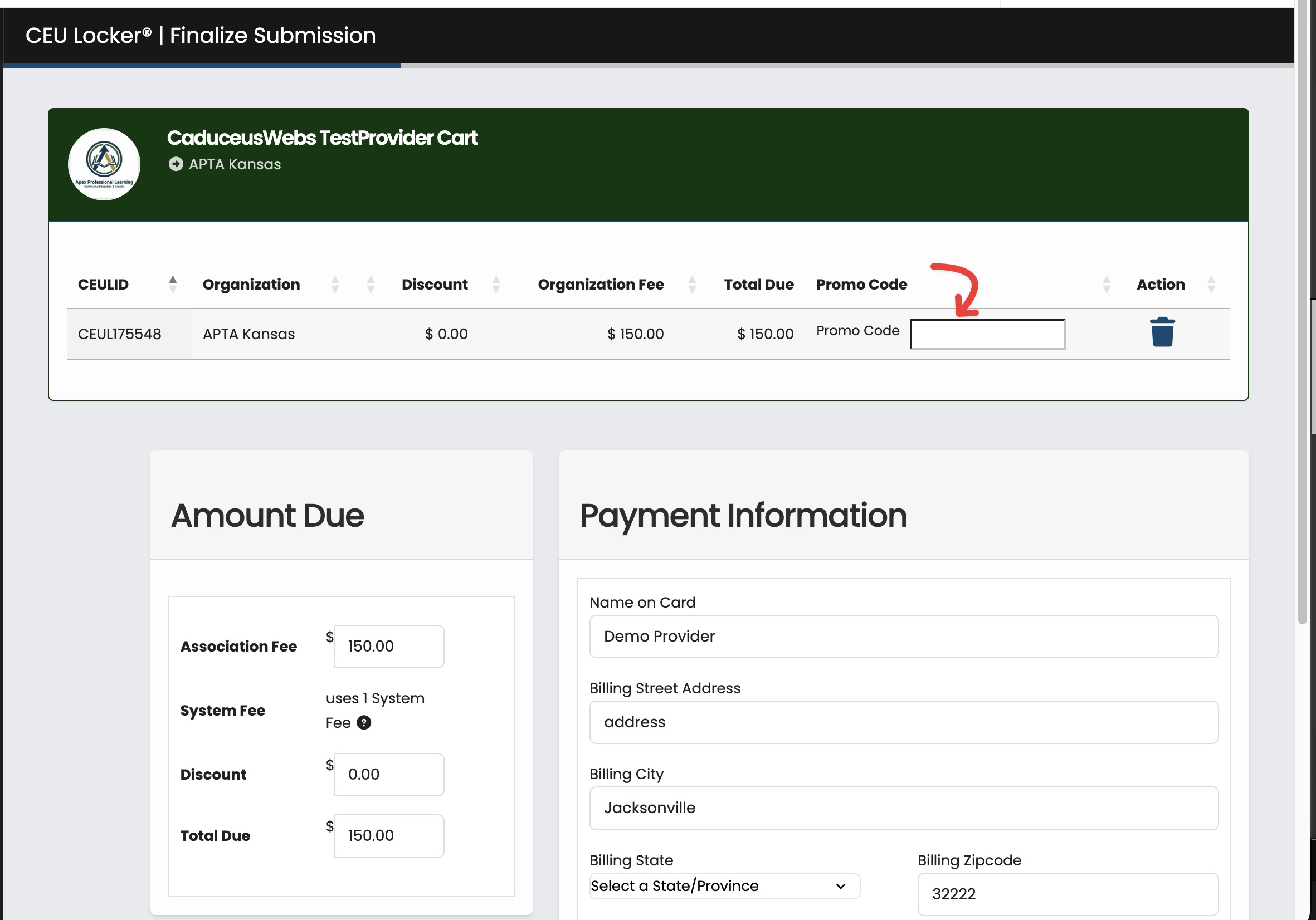
ADMINS: Promo Codes for a wide variety of uses can be generated here.
Promo codes can be a helpful and powerful way of working with CEU Providers in your area of accreditation.
Organizational Promo Codes are generated in the Admin Panel > Do Things > Promo Code Module
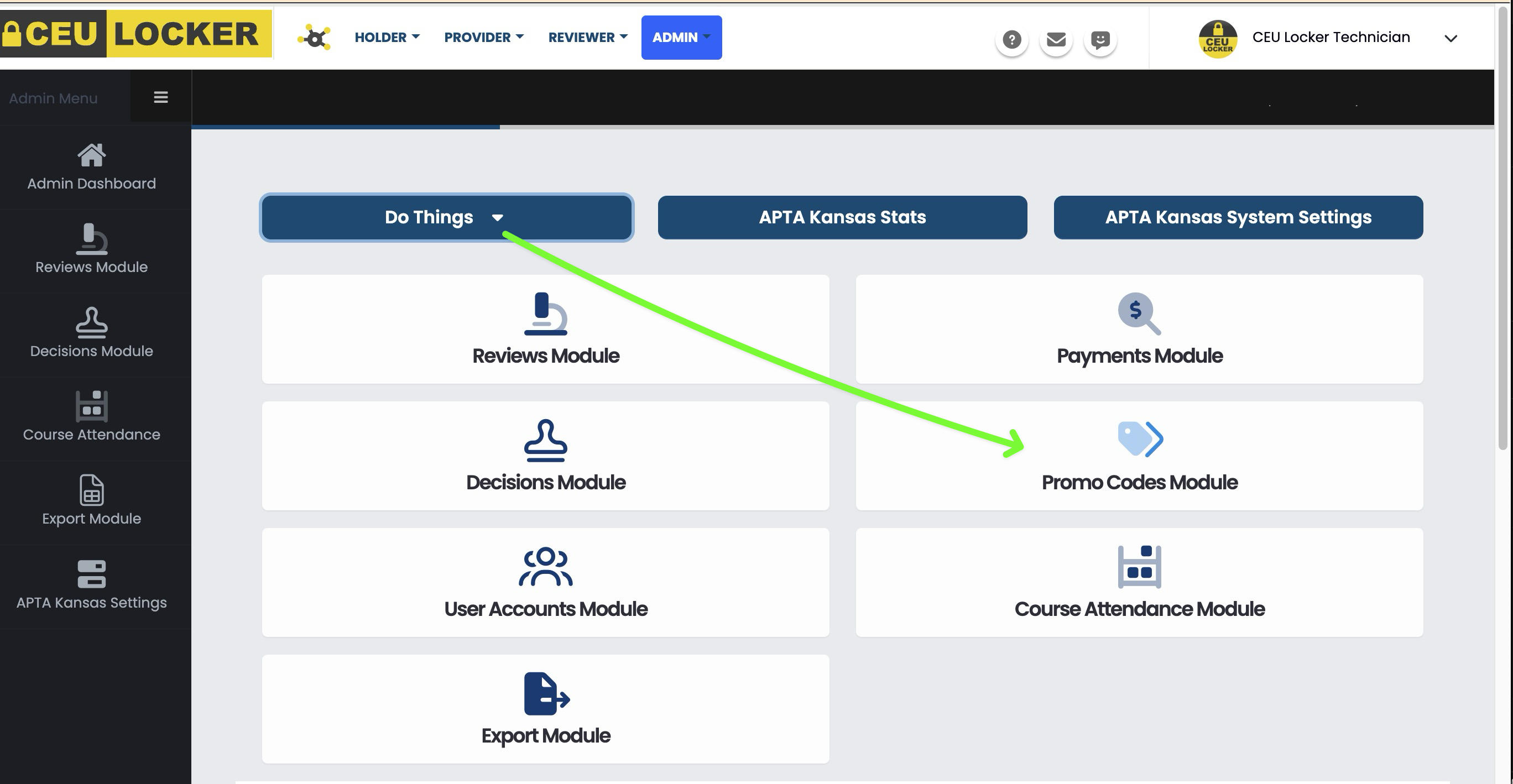
Upon clicking the Add Promo Code yellow button, you'll see a generator with tremendous flexibility for your Promo Code creation (screenshot below):
(A) This is the actual code text you will give to your user. Text must be unique(B) Description of your choice, will only be seen by Admin.(C) Designate the types of Users that are authorized to use this code. If this is for a CEU Provider, and you would like their use of the Promo Code to also cover their CEU Locker System Fee, check the appropriate box. You'll be able to purchase those system fees just below in (J)(D) This is the label that will show in your exports, as a reminder of what the Promo Code was given for.(E) sDiscount Type options are "static amount deducted" OR "% of total discount". As an example, if you intend to allow a completely fee free submission, you would choose "Percent Off", and then 100 in (F)(F) The amount you want discounted from the submission total.(G) This check box provides a quick way of turning a Promo Code off/on instantly.(H) Always set a date when the code should expire(I) If you wish to limit the number of times the code can be used, enter it here.(J) For Promo Codes where you wish to cover the System Fee also, purchase those before the Promo Code is created.(K) This is a read-only field that shows how many times the Promo Code has been used, after you have created and distributed it.(L) Generate the Promo Code by saving here.
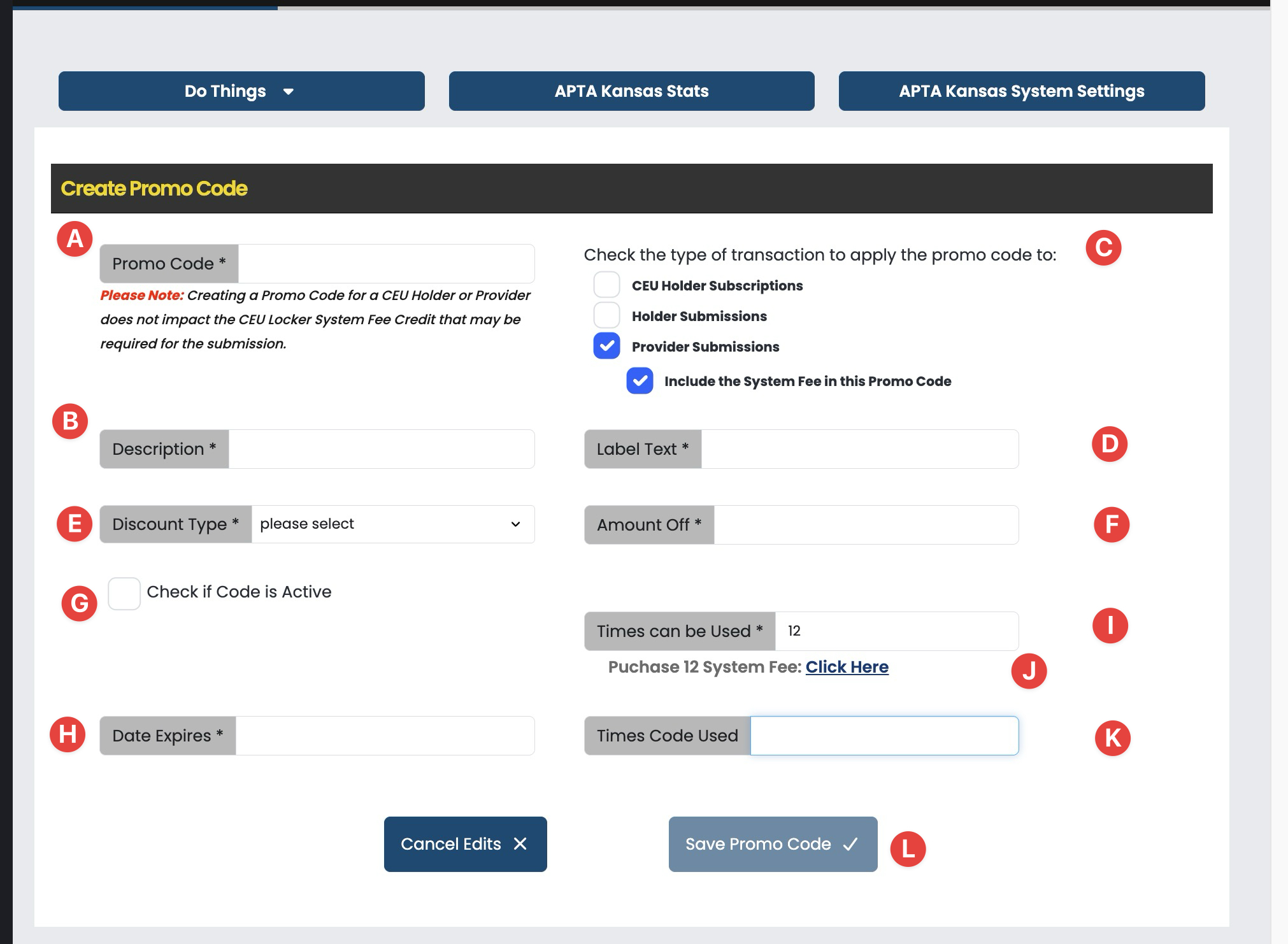
AFTER Promo Code Distribution, the user will enter the code into the cart checkout page, specific to your Organization: